How it works
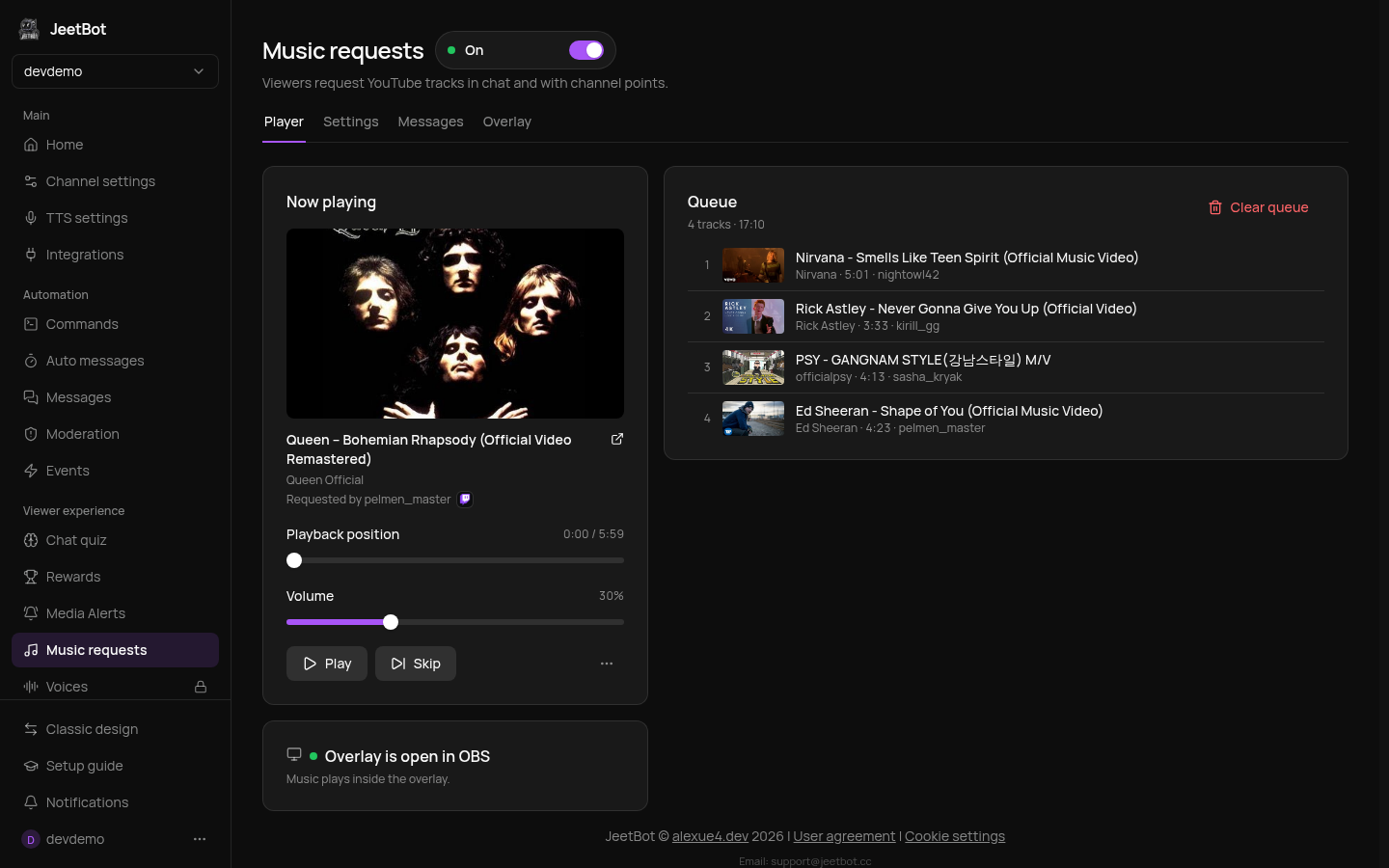
Viewers request YouTube tracks with a chat command or with channel points. A track goes straight into the queue and plays in the OBS overlay. The dashboard is the remote: pause, skip, volume, queue order. The module is free.
Viewer: !sr Queen Bohemian Rhapsody
Bot: «Queen – Bohemian Rhapsody» в очереди, позиция 3.
Quick start
- Open Music requests in the dashboard and turn on the switch next to the title. While it is off, the bot ignores the commands and refuses reward requests.
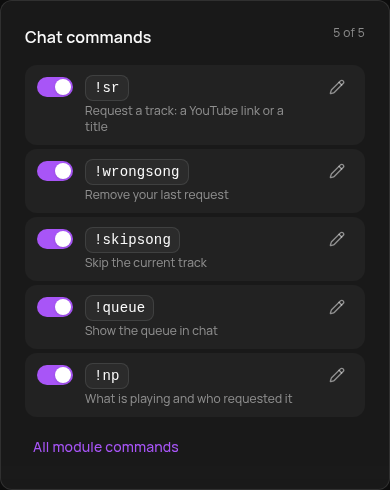
- On the Settings tab turn on the commands you need in the "Chat commands" card. They are off by default so they don't clash with other bots.
- Add the overlay to OBS: the Overlay tab, details. No overlay open, no music.
Requesting a track
By command. !sr plus a YouTube link, a video id or just a title, for example !sr daft punk around the world. The bot answers with the track title and its place in the queue. If the request fails, the bot says why: too long, queue full, no live streams or 18+ videos, and so on.
With channel points (Twitch and Kick). The viewer types the link or title into the reward text. If the track doesn't make it into the queue, the points are refunded automatically.
| Command | Who | What it does |
|---|---|---|
!sr <link or title> | everyone | request a track |
!wrongsong | everyone | remove your last request |
!queue | everyone | show the next tracks |
!np | everyone | what's playing and who requested it |
!skipsong | streamer and moderators | skip the current track |
The commands work on Twitch, Kick, VK Video Live and YouTube.
Reward
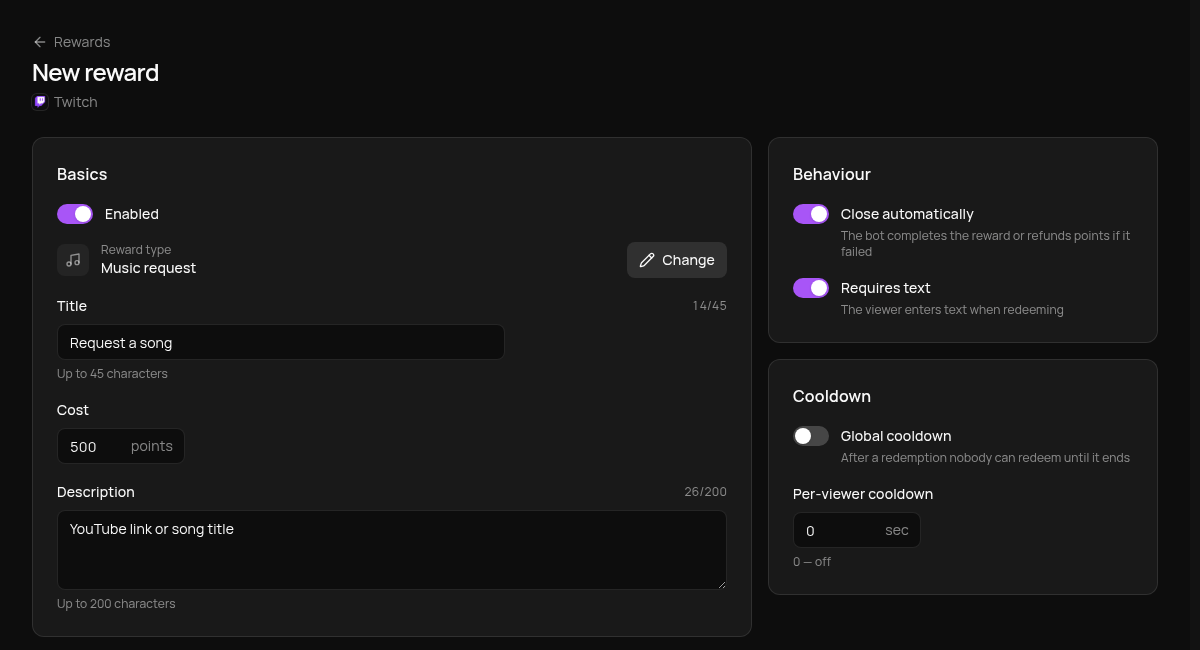
In the Channel points reward card click Create reward. The reward editor opens with the "Music request" type selected and "Requires text" on. Set a title and a cost.
Player and queue
The Player tab shows the current track and the queue.
- Play / Pause, Skip, seeking and volume apply to the overlay at once.
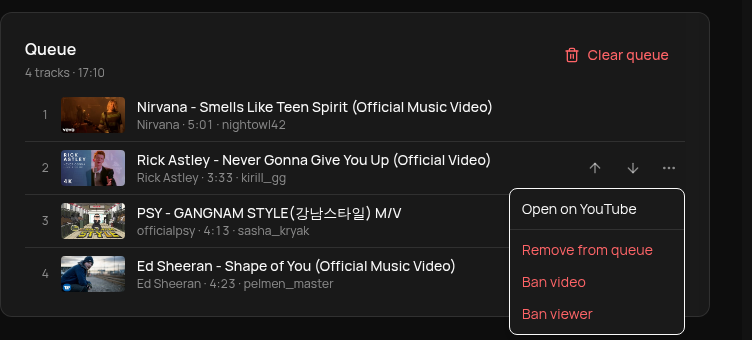
- The arrows in a row move the track up or down.
- The ⋯ menu of a track: open on YouTube, remove from the queue, ban the video or the viewer. A banned video or viewer goes to the ban lists and their tracks leave the queue.
- Clear queue removes everything except the current track.
The queue survives between streams until you clear it. A new overlay never starts the music by itself: after launching OBS click Play.
The player also works from Stream Deck with the Skip Song and Play/Pause Song keys.