Events
A rule in the "Events" section links an event → conditions → actions: for example, "when someone raids the channel, the bot gives a shoutout and writes in chat". It works with Twitch events.
The section is in the dashboard.
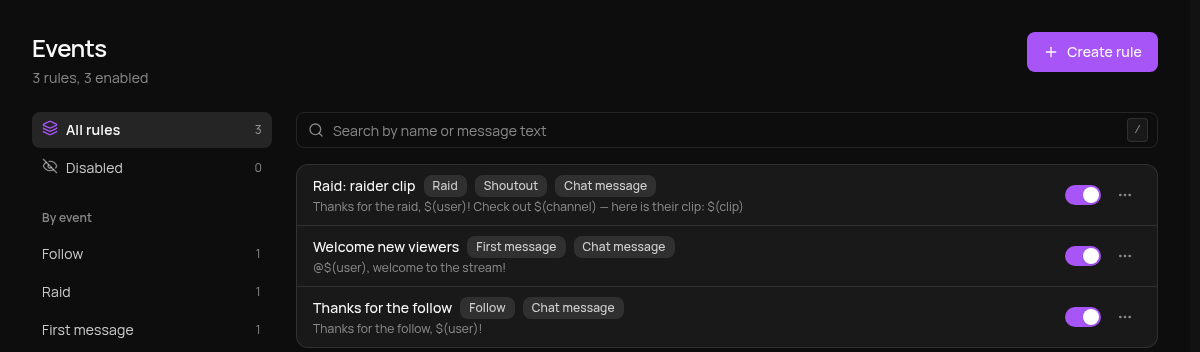
Events and actions
| Event | When it fires |
|---|---|
| Follow | a new follower |
| Raid | an incoming raid; you can set the viewer count "from" and "to" |
| First message | a viewer's first message in the period: "This stream" or "Last 24 hours" |
| Chat phrase | a message contains a phrase or matches it exactly |
| Subscription | a new subscription (gifted ones do not count) |
| Resubscription | a renewal the viewer shared in chat |
| Gift subscriptions | someone gifted one or more subscriptions |
Actions: Chat message, Shoutout, Media alert and Voice-over. A voice-over uses your TTS limits just like regular TTS.
How to create a rule
-
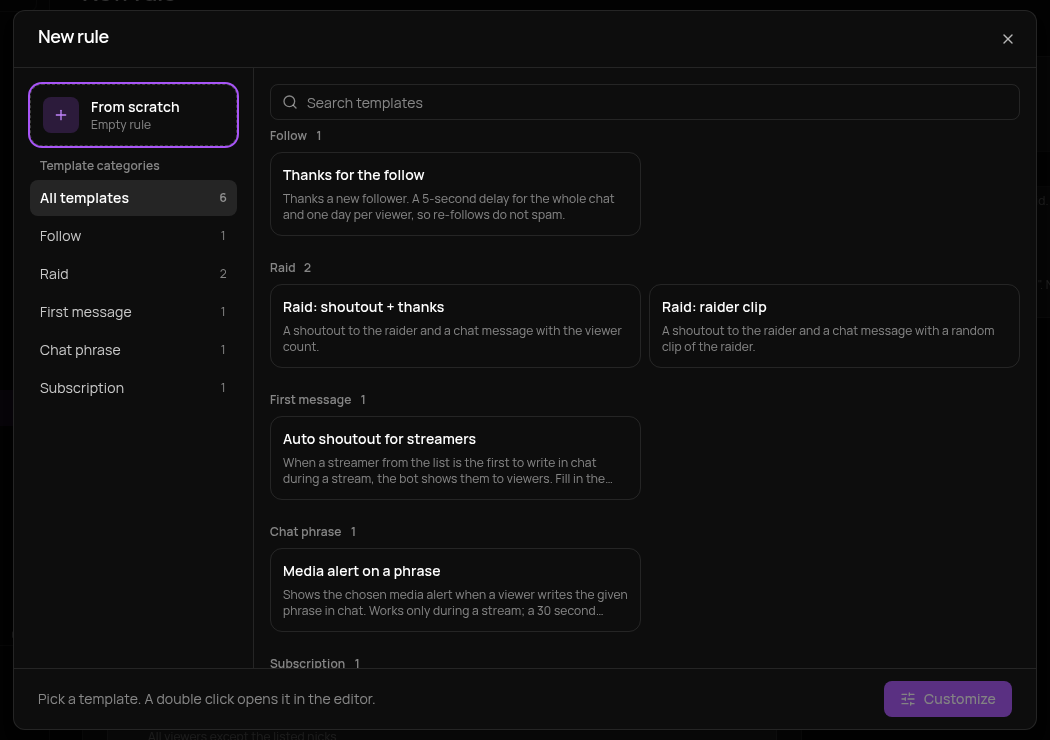
Open Events and click Create rule (or Choose template).
-
Pick a ready-made template or From scratch. You can add a template right away or tune it first.
-
Choose the Event and set the Conditions: who the rule applies to, raid viewer count, role, Only while the stream is live.
-
In Frequency, set the Global cooldown (for the whole chat) and the Per-viewer cooldown.
-
In Actions, add what you need. They run top to bottom; drag them to change the order. In texts you can use the variables from the Variables button, for example
$(user)— the viewer's nick. -
Check the rule in the Simulator: enter a nick and click Simulate. Nothing is sent to chat.
-
Save the rule. The switch in the list turns it off without deleting it.
Example: the raider's clip in chat
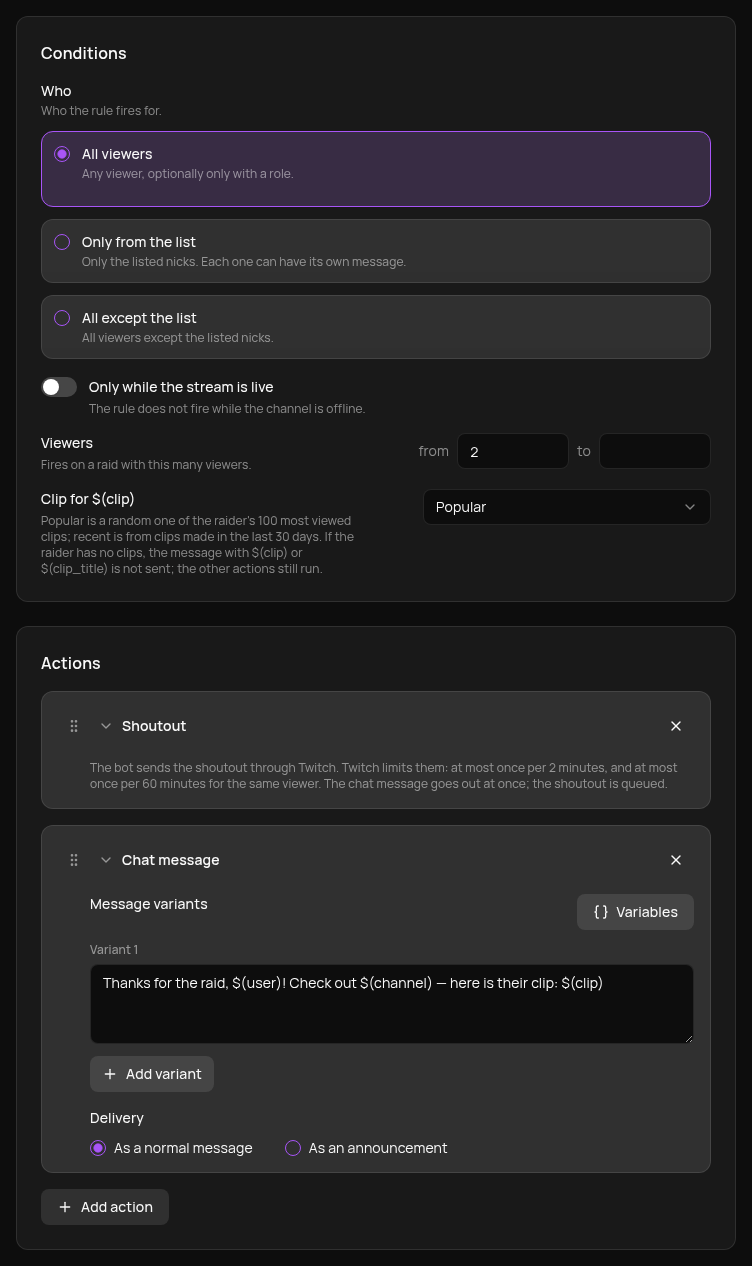
When a raid arrives, the bot gives the raider a shoutout and posts a link to a random clip of that streamer in chat. The easiest start is the Raid: raider clip template.
-
The event is Raid. In the conditions you can set, for example, viewers from 2 to ignore very small raids.
-
In Clip for $(clip), choose the source: Popular (a random one of the raider's 100 most viewed clips) or Recent (30 days).
-
Add the Shoutout and Chat message actions with this text:
Thanks for the raid, $(user)! Check out $(channel) — here is their clip: $(clip)$(channel)is a link to the raider's channel,$(clip)is a link to the clip. To show the clip title, add$(clip_title).
The Simulator shows what the rule will do. It does not request a clip; an example link is shown instead.
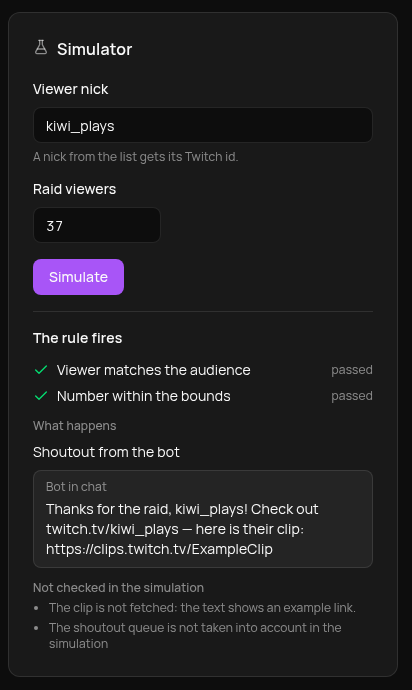
This is how it looks in chat after a raid by kiwi_plays with 37 viewers:
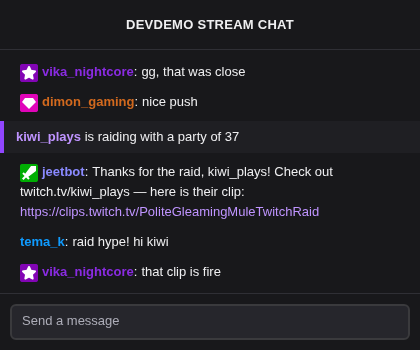
If the raider has no clips, the message with $(clip) is not sent, while the other actions (the shoutout and other messages) run as usual.
Example: hello to new viewers
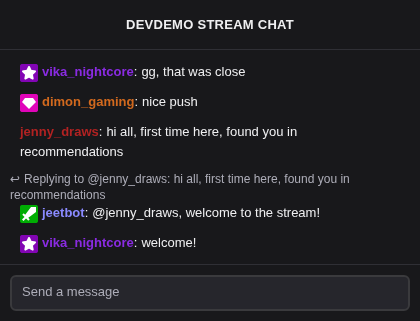
The bot replies to a viewer who writes in chat for the first time this stream.
-
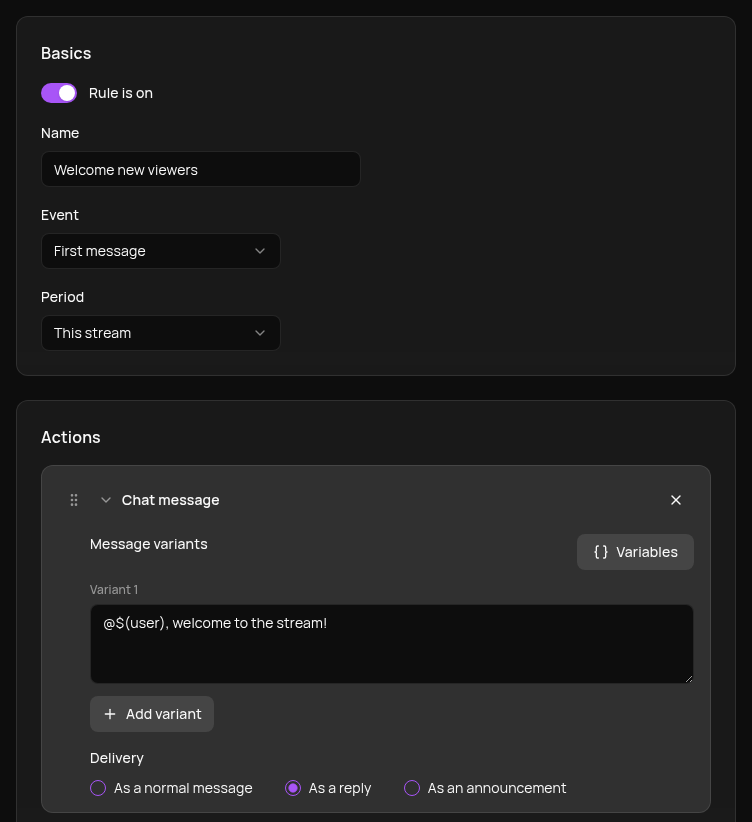
The event is First message, the period is This stream.
-
The Chat message action, delivery As a reply, with this text:
@$(user), welcome to the stream!
Good to know
- If several rules match one event, all of them fire. There is no priority, so for different thresholds (for example, raids 10–99 and from 100) use non-overlapping ranges.
- There is flood protection: at most 20 firings per minute per channel for an event. Extra events are skipped.
- With the Only from the list audience, each viewer can have their own message instead of a random variant.
- Shoutouts are limited by Twitch: at most once per 2 minutes, and once per hour for the same streamer. The chat message goes out at once anyway.
- The Simulator does not check cooldowns or whether the stream is live.