Automatic Message Pinning
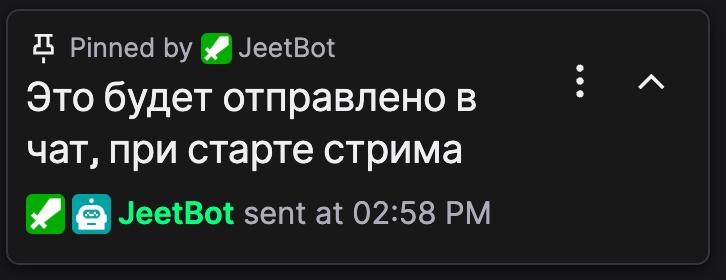
Auto-pin is a feature where the bot periodically sends and pins the message you specify in the chat. The pinned message is displayed at the top of the chat and remains visible to all viewers.
Important
For the pinning feature to work, you must make Jeetbot a moderator of your channel. This is required even if you use your own bot account.
How does it work?
- You configure the message text you want to pin
- The bot automatically sends this message to the chat
- The bot pins the sent message until the end of the stream
How to enable?
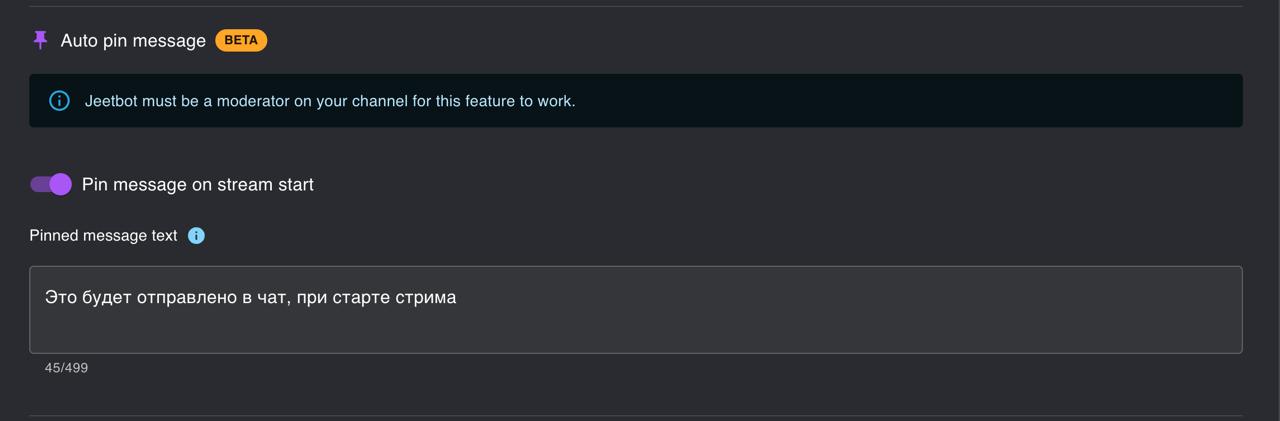
To configure automatic message pinning:
- Go to Dashboard on the website
- Open the Bot Settings section
- Find the Automatic Message Pinning section
- Enable the feature
- Enter the message text you want to pin
- Save your settings
Pinning via a Command
In addition to auto-pinning, you can also pin a message through any custom command. The command settings have a separate pin option — when enabled, the bot will pin the command's response in chat every time the command is triggered.
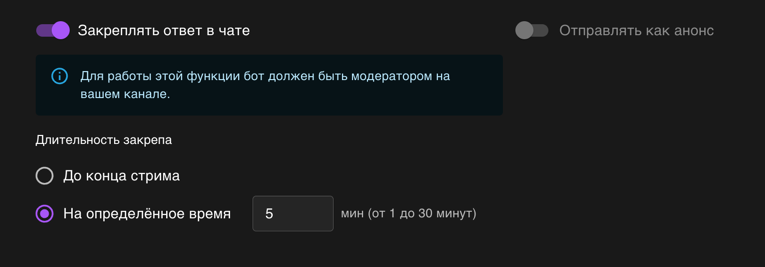
This approach is convenient when you want pinning to happen on demand (via a chat command) rather than on a timer.